ProMash is a program I’ve used to manage beer recipes for over 20 years. There was only ever a Windows version published, but I mostly ran it under Linux with Wine. I had the entire program directory (with recipes, brewing sessions, etc.) checked into checked into Git so I could pull it down on whatever computer I was using at the time and run it.
A while back, I Dockerized my home server. One of the neat tricks I found it could do was run graphical Linux apps through a web browser: Calibre, Picard, etc. I then got the idea to try containerizing ProMash. It can run under Wine and Wine runs under Linux, so it should work…right?
Turns out it works pretty well. Start with this Dockerfile, which adds Wine to the linuxserver.io base image and adds the program to be run:
FROM ghcr.io/linuxserver/baseimage-selkies:arch
RUN pacman -Syu || true && pacman -S --noconfirm wine wine-gecko && yes | pacman -Scc
ADD --chown=911:911 . /config/promash
COPY /root /
For an app that doesn’t need to be installed (just run from a random directory), it’s enough to just make it visible within the container and add a config file to tell the container to launch it. First, docker-compose.yml:
services:
  promash:
    build: .
    container_name: promash
    restart: unless-stopped
    environment:
      CUSTOM_PORT: 8080
      CUSTOM_HTTPS_PORT: 8081
    networks:
      - www
    volumes:
      - promash-data:/config/promash
    labels:
      caddy: promash.alfter.us
      #caddy.basic_auth.salfter: "$PASSWD"
      caddy.import: secure *
      caddy.reverse_proxy: promash.www:8080
      caddy.log.output: discard

networks:
  www:
    name: www
    external: true

volumes:
  promash-data:
    name: promash-data
    external: true
This is set up to use caddy-docker-proxy and to control access to ProMash with an Authelia SSO instance (caddy.import: secure *), but these are easily replaced with whatever proxy option you prefer. The ProMash directory within the container gets written out to a named volume so my changes don’t get lost and my recipes are easily backed up.
One more file is needed to tell the container how to launch your program. root/defaults/autostart should look something like this:
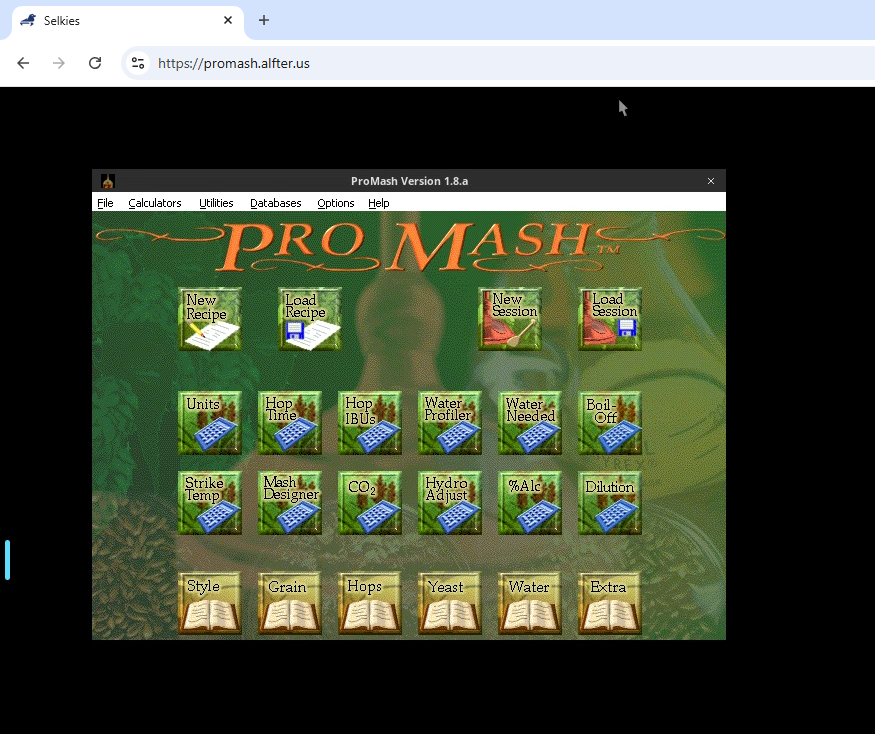
(cd /config/promash && wine ProMash.exe)These three files were added to my ProMash repo, which was then checked out onto my home server and launched. This is what it looks like in the browser:
This should be adaptable to any Windows app that will run under Wine (which is an ever-increasing percentage of them). Programs that need to be installed would be a bit trickier to get running, but it should still be possible to get them running.